Undo the policy change that ruined Monday
Intune’s audit log tells you who changed a policy. Eido keeps every version and restores the one that worked.
Free trial, no credit card required.
Trusted by teams delivering secure digital workplaces












Who changed it is only half the answer
Friday afternoon, somebody changes a compliance policy. On Monday, devices that were fine are failing and the service desk is full. The audit log names who did it. What you need is the version that worked, and without it you are rebuilding settings from memory and screenshots while devices stay out of compliance.
The audit log records who changed a policy and which properties. There is no saved version to go back to. Microsoft Learn: Audit changes and events in Intune
A new version of a policy every time it changes, the value of every setting over time, and a restore when a change goes wrong.
See every version of your own policies, and how a restore works.
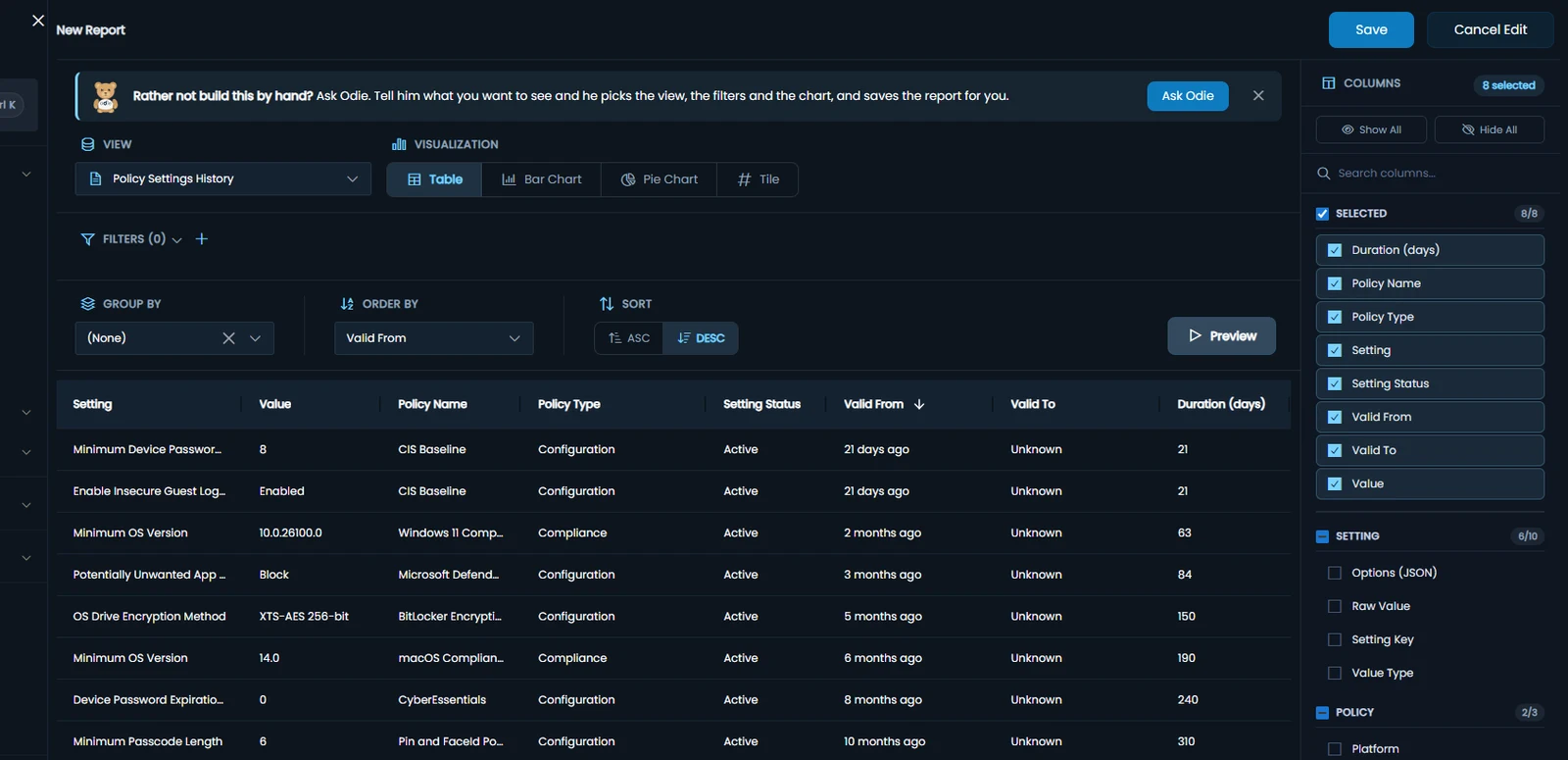
Every version, every setting
Eido checks your policies about once an hour and keeps a new version whenever a policy’s settings or assignments change. See exactly what changed, when, and how long each value held.
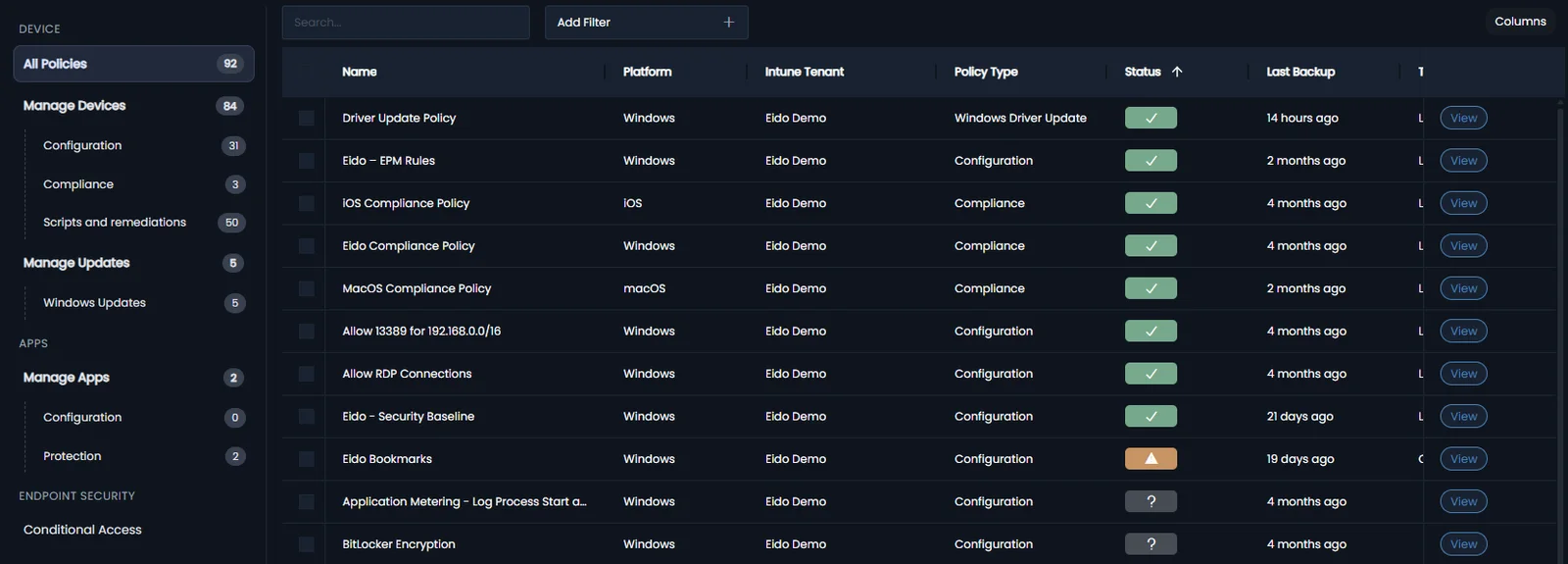
- Every policy type backed up, from compliance and settings catalog to app protection and Conditional Access
- Each version against the one before it, side by side, settings and assignments
- Who made each change, from Intune’s own audit log where Eido can tell
- A policy deleted from Intune, kept with its history for 30 days
Put back the version that worked
Three steps, started by an administrator, and nothing changes until you confirm.
- 1
Pick the version that worked
Open the policy’s Version History and press Restore on the version you want back.
- 2
Choose what to put back
The settings, the assignments, or both, and see exactly what will be written before anything changes.
- 3
Confirm it is you
A quick Microsoft sign-in, and the policy is back. Eido keeps the version it replaced, so the restore can be undone too.
We reduced broken configuration policies, cut unused licences, and saved approximately $30,000.
The visibility Eido gave us changed everything.
 Leo MIT Leader, Morrison Global
 Next time a change goes wrong, have the version that worked ready to put back.
There is more to Eido than policy backup
The same product, alongside Intune, in one place.
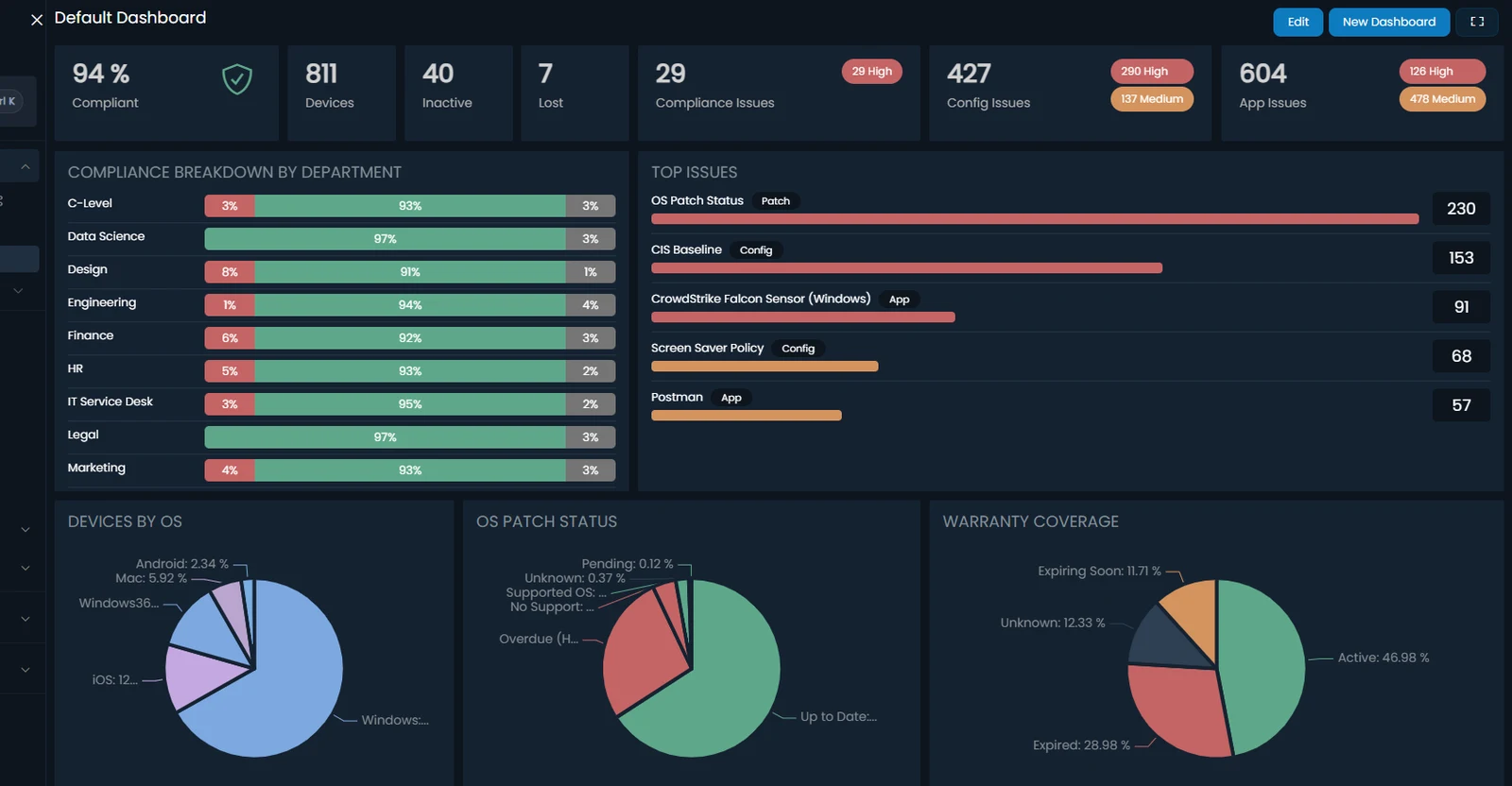
120+ Intune reports, ready the day you connect
Compliance, patching, apps, Autopilot, policy and audit, joined to every device, user and Entra group, with 12 months of history behind them. No Power BI project, and no Graph API scripts to maintain.
Each team sees its own devices, without scope tags
Rules on real device and user attributes, such as department, office or device name, applied to every report and dashboard. No scope tags to set up or maintain.
- London service desk Office is London
- Mobile team OS is iOS, iPadOS
- VIP support Department is C-Level
Problems reach the service desk on their own
When an alert fires or an automation runs, Eido raises a ServiceNow incident with the device’s primary user as the caller, or posts to Teams, Slack, email or a webhook. ServiceNow SAM reads app usage from Eido.

Complete patch status, on every platform
Windows, Windows 365, macOS, iPhone, iPad and Android in one view, graded against your own rules with update ring deferrals taken into account. Down to each patch on each device.
- Windows 542
- Windows 365 100
- macOS 48
- iPhone 82
- iPad 20
- Android 19
Device data from minutes ago, not hours
Intune checks in about every 8 hours. With the Eido Client, inventory refreshes as often as every 15 minutes, up to 32x fresher, and a device can be fixed from its page without a remote session.
Know why the laptop is slow before the ticket arrives
An experience score for every device, every night, with the reason behind it: the app, the network, the logon or the Intune change.
- Startup and logon 68
- Performance 74
- Network 81
- Reliability 85
- Device health 89
Intune changes that hurt experience
- Win11 – Security Baseline Settings changed 7 Oct Worse Logons +38% 214 devices
- Teams – Update Policy Assignments changed 6 Oct Worse Crashes +61% 88 devices
Each change compared with the rest of the tenant over the same days, so a bad Monday is not blamed on it.
See who opens every paid app, before you renew it
Intune knows where an app is installed, not who uses it. Eido shows who ran each app, on how many days and for how long, so a renewal is a decision, not a guess. No new agent to install.
- Tableau Desktop 12
- Adobe Photoshop 21
- Microsoft Visio 26
- Microsoft Project 14
- Adobe Illustrator 13
- Bloomberg Terminal 9
- Autodesk AutoCAD 9
9 users, 1.6 hours each in a month. Worth a look before the renewal.
Questions about policy backup and restore
Which policy types can Eido restore?
Compliance policies, device configuration and settings catalog policies, PowerShell and shell scripts, remediations, and Windows driver, quality and feature update profiles. App configuration, app protection, Windows Information Protection and Conditional Access policies are backed up and their versions can be compared, but not restored from Eido.
Who can restore a policy?
An administrator, on a tenant linked to Eido with Read-Write Access. Before the restore runs, Eido asks for a Microsoft sign-in to confirm it is still you, unless you signed in or confirmed it in the last 15 minutes.
Does Eido change my tenant without asking?
No. Syncing is read-only, and Eido never changes your tenant in the background. It writes to Intune only when an administrator restores a policy or deploys a policy template, and it never deletes a policy. A tenant linked read-only cannot be written to at all. The documentation lists every permission.
See every version of your own policies
In 15 minutes we will show you a policy’s versions, what changed between them and how a restore works. Or request a trial and connect your own tenant.