Patch Reporting in Intune: Why It's a Big Deal
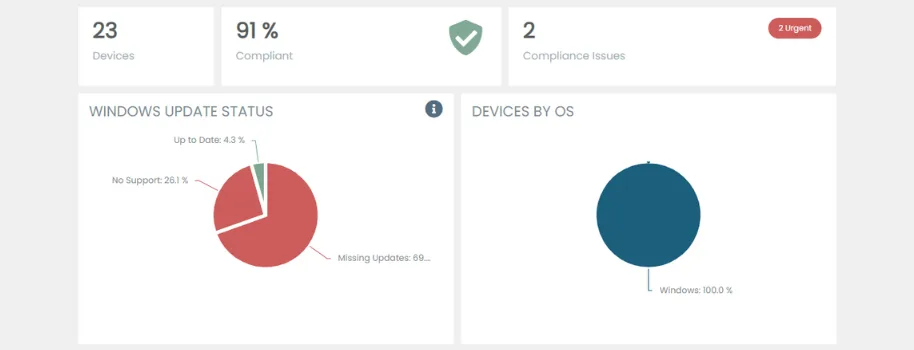
Patch management isn’t just another task on your to-do list; it’s your first line of defense in cybersecurity. For those using Microsoft Intune, keeping track of patches across devices is crucial but often complex.
The Need for Effective Patch Management
Every unpatched device is a potential entry point for threats. Effective patch management means fewer vulnerabilities and a more secure network. But with so many devices, how do you keep up?
Patch Reports: Your Security Snapshot
Patch reports are vital. They show you where you’re vulnerable and help you prioritize. But traditional Intune tools only scratch the surface. You need something that digs deeper.
KB Insights: Know Your Patches
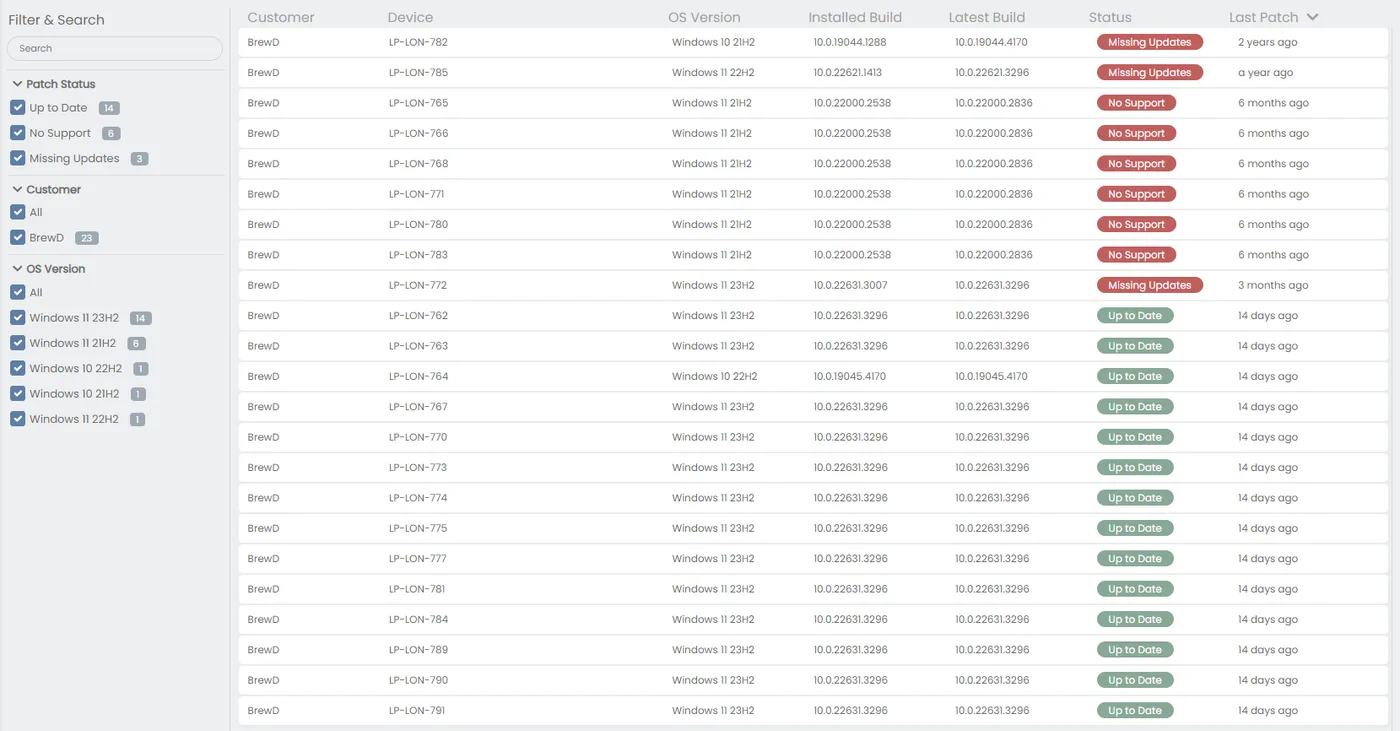
Understanding what each patch does is key to assessing its importance. It’s not just about installing updates; it’s about knowing which ones matter most and acting fast.
OS Support: Don’t Fall Behind
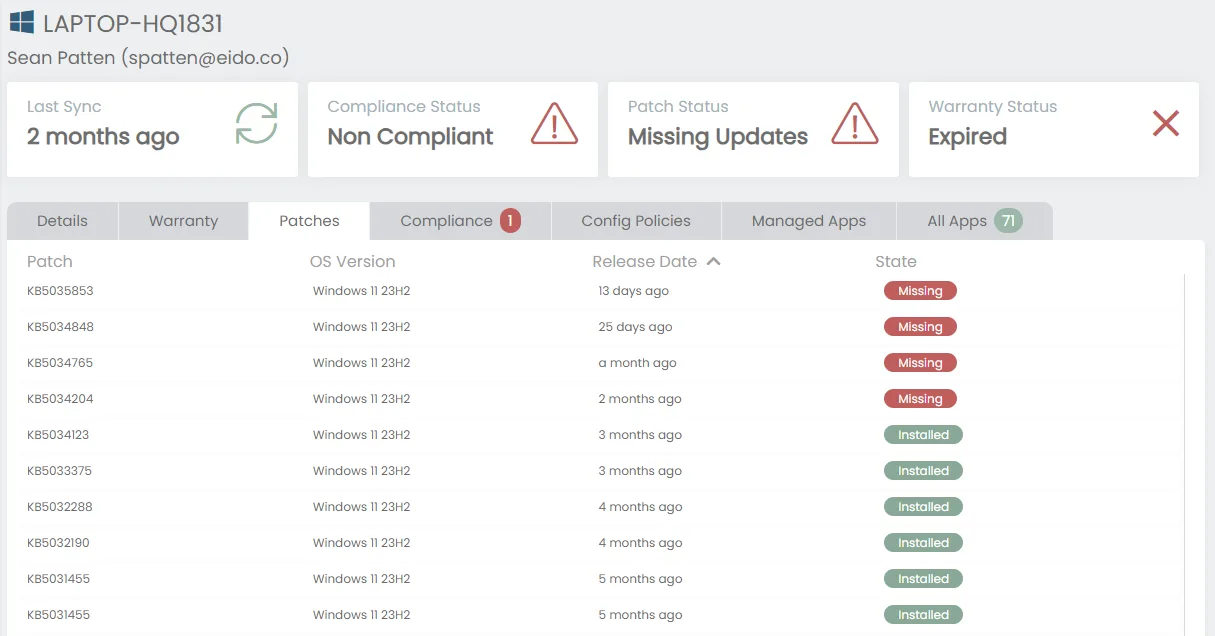
Outdated OSes are a risk. Full visibility into which devices need updates is non-negotiable for maintaining security standards.
Introducing eido’s Patch Monitoring and Reporting
We get it. That’s why we’ve launched a new feature aimed at simplifying this whole process:
- Clear Patch Reports: See at a glance where your network stands.
- In-Depth KB Insights: Get the details on what each patch is for and why it matters.
- OS Overview: Instantly know which devices need your attention.
Get Started with eido
Cut through the complexity of patch management with eido. Our new feature, combined with our suite of Intune tools, makes it easier to keep your network safe and sound.
Try eido today and take the hassle out of patch management. 30 Day Free trial available!